Complete Guide to Commercial Security Cameras
Learn how commercial security cameras effectively protect businesses and improve overall surveillance systems performance and reliability.
Risks and threats faced by organizations have been evolving rapidly. The risks ranging from retail crimes to liability issues and others can affect any organization regardless of its size and type. Studies show that organizations face losses of more than $50 billion annually due to theft, vandalism, and other risks. In such circumstances, using commercial security cameras is no longer just an improvement but a necessity for any business today.
An effectively implemented business CCTV system can serve a number of purposes, which include:
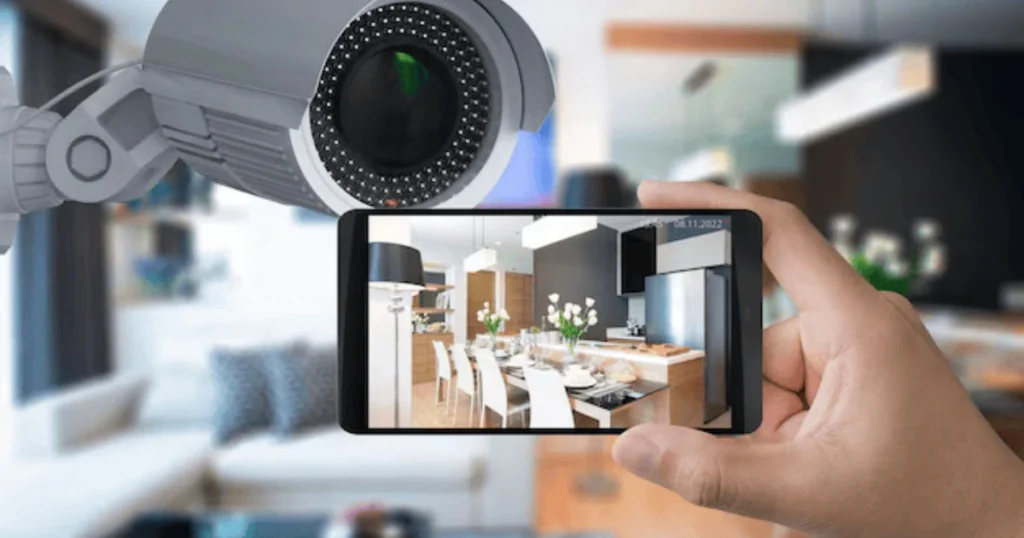
Providing you with the opportunity to monitor your premises online
Acting as a means of deterring criminal activities through its visible presence
Enhancing the effectiveness of your operation control
Helping you meet necessary safety and other standards and regulations
Assisting you with providing evidence needed in investigations and legal issues
If you run a small store or office or manage a large industrial facility, proper business security surveillance systems will help you cope with your risks.
Why Commercial Properties Need Surveillance
Security cameras are mostly viewed as a way of preventing crimes—however, there is much more that they can offer to your company. Advanced business surveillance cameras are crucial in safeguarding your possessions, running your business activities and managing your enterprise in general.
Crime Statistics to Consider
Knowing what the sources of potential risks are will help you build your security strategy:
- Retail losses: Companies suffer huge financial losses annually due to theft and scams.
- Internal threat: About 30% of all losses are caused by internal threats.
- Theft in warehouses: Every year, about $1 billion worth of products and equipment are stolen.
- Late night theft: Almost 70% of all such cases happen between 2 AM and 5 AM.
From the statistics above, it becomes evident that your risks lie both inside and outside your enterprise.
Security Camera Systems Beyond Theft Protection
The following are some significant benefits of using commercial security camera systems:
1. Legal Protection Against Lawsuits
Slip and fall accidents in a business establishment may lead to expensive lawsuits.
Video recordings will provide concrete evidence to settle such claims without difficulties.
2. Industry Compliance
Several sectors have strict compliance policies, including OSHA requirements.
Security cameras will help companies document their compliance with industry standards.
3. Lower Premium Payments on Insurance
Businesses installing surveillance equipment may enjoy up to 20–30% savings on insurance premiums.
This is because insurers consider surveillance systems reliable for risk management purposes.
4. Increased Productivity
Business owners will be able to observe operations remotely.
Surveillance video recording increases employee productivity by holding them accountable.
Business video surveillance is not just an instrument to protect against theft, but rather an asset to protect your assets and improve business management as well. Today’s surveillance tools are capable of mitigating threats both inside and outside the company – starting from the losses due to employees’ activities and ending with after-work robberies which often occur when it comes to high-risk time slots. In addition, apart from the primary role, video surveillance also offers many other advantages – from legal protection by providing undeniable proof in case of any disputes to the compliance of various regulations such as those issued by OSHA.
Types of Commercial Security Cameras
The selection of the appropriate camera is fundamental for establishing a successful surveillance system in your business venture. When considering commercial security cameras, it becomes even more important to evaluate your specific operational needs, such as the size of the premises, lighting conditions, and required level of monitoring. Every camera model offers its own set of advantages and is applicable to various scenarios, whether it’s indoor monitoring, outdoor perimeter security, or high-traffic areas.
Commercial security cameras are designed to provide enhanced durability, higher resolution imaging, and advanced features like remote access, motion detection, and night vision. By carefully selecting the right commercial security cameras, businesses can ensure better protection of assets, improved employee safety, and more efficient overall security management.
Dome Camera Models (Indoor/Outdoors; Discreet)
These types of cameras have gained wide acceptance in offices, shopping outlets, and hotel setups since they are discreet and efficient.
Attributes:
- Vandal-resistant – Resistant to vandalism or manipulation
- Wide-angle surveillance – Efficiently covers extensive indoor premises
- Discreet – Difficult to identify the direction of the lens
Applications:
- Office premises
- Reception areas
- Indoor premises where discreet surveillance is required
PTZ Cameras (Pan-Tilt-Zoom)
These cameras are used for monitoring extensive zones with the possibility of moving around. This allows following movement thanks to the possibility of panning, tilting, and zooming.
Features:
- 360° movement – monitoring an extensive area
- Maximum zoom up to 25x – focusing on particular objects
- 4K resolution available – high quality of videos
Best For:
- Warehouses, large supermarkets
- Car parks, loading areas
- Outdoor areas
Bullet Cameras (Security Perimeter)
Bullet cameras have an unmistakable appearance and serve as a powerful deterrent against any intrusion attempt.
Main Characteristics:
- Far sight vision – Night vision using infrared technology at 100+ feet
- Weather resistance – IP66/ IP67 protection level withstands extreme conditions
- Directional vision – Keeps track of particular entrances or perimeter locations
Primary Application Area:
- Structure exterior
- Delivery areas
- Perimeter or fence line surveillance
License Plate Recognition (LPR) Cameras
LPR camera systems have been specifically designed for the purpose of capturing data related to vehicles and for integration with access control systems.
Features:
- License Plate Detection – For vehicles on the move
- High speed image capturing – For clear imaging even while moving at high speeds
- Compatibility with access control systems
Suitable Locations:
- Gates and entrances
- Parking lots
- Transportation hubs
Among the best security tips for large commercial properties, selecting the appropriate type of surveillance camera system depending on the size and risk assessment of the property will be considered. To effectively protect large commercial properties, there should be a comprehensive surveillance system that covers entrances, boundaries, parking lots, and internal operations in order to provide an efficient means of prevention of threats. Applying the appropriate camera system by using appropriate types of commercial security cameras like dome cameras for interior monitoring, PTZ cameras for wide-area coverage, bullet cameras for perimeter protection, and license plate recognition (LPR) cameras for tracking cars contributes to having a robust and efficient security system.
Indoor vs Outdoor Commercial Camera Needs
Not all environments require the same setup. A smart commercial security camera guide considers location-specific requirements.
| Location | Resolution | Night Vision | Weatherproof | Example Use |
|---|---|---|---|---|
| Office Interior | 4K Dome | 60ft IR | Not Required | Lobbies, hallways |
| Retail Sales Floor | 5MP Turret | 80ft | Not Required | Theft prevention |
| Warehouse | 4K PTZ | 150ft | IP66 | Inventory monitoring |
| Perimeter | Thermal | Heat Detection | IP67 | Fencing, gates |
For indoor spaces such as office interiors and retail sales floors, the main focus is on image clarity and detailed coverage. High-resolution options like 4K dome or 5MP turret cameras are ideal because they capture clear facial features and activities in controlled lighting conditions. Night vision is still useful for low-light scenarios, but weatherproofing is generally not required. These types of commercial security cameras are commonly used in lobbies, hallways, and retail areas where monitoring customer movement and preventing theft are key concerns.
In contrast, outdoor environments such as warehouses and perimeter areas demand more robust commercial security cameras. These cameras must be built to withstand harsh weather conditions, which is why features like IP66 or IP67 weatherproof ratings are essential. Additionally, outdoor cameras often require stronger night vision capabilities and longer range coverage. For example, PTZ (Pan-Tilt-Zoom) cameras in warehouses allow flexible monitoring of large spaces, while thermal cameras at perimeters can detect heat signatures, making them highly effective for intrusion detection even in complete darkness.
Indoor systems focus on clarity and coverage, while outdoor cameras must handle weather conditions and long-range visibility.
Bullet Cameras (Perimeter Security)
The bullet camera is easily noticeable, thus serving as an efficient visual deterrent against any would-be perpetrators. Its ability to see from far away and its durable structure makes the bullet camera ideal for perimeter security applications and outdoor surveillance.
Bullet Camera Features:
Infrared Night Vision – 100ft or greater range at night
Waterproof with either IP66 or IP67 rating
Fixed-direction viewing for monitoring specific locations
Common Uses:
- Building exteriors and entrances
- Loading docks and delivery zones
- Fences, gates, and perimeter boundaries
Reasons to Use Bullet Cameras
- Visually intimidating for intruders
- Sturdiness in challenging weather
- Specific coverage on important locations
- Perfect for distant surveillance
Bullet cameras should be included in any business’s video surveillance system. They provide good visibility from afar, and can be used to deter any unwanted activities near your premises.
License Plate Recognition (LPR) Cameras
LPR Cameras are cameras that have been built for the purpose of capturing vehicle data quickly and accurately. LPR Cameras are an important component when managing the security of commercial premises, such as businesses, logistics centers, or gated communities.
Important Features:
Automatic license plate recognition technology for fast recognition of cars
High speed image processing to capture moving vehicles
Compatibility with the access control systems
Applications:
- Access points in business premises or parking facilities
- Logistics centers
- Gated communities
Why Opt for LPR Cameras?
- Effective monitoring and logging of vehicle movement
- Improve access control measures and overall security
- Minimize manual surveillance at entry points or checkpoints
- Suitable for fleet management and monitoring visitors
The integration of LPR cameras is essential when installing commercial surveillance systems that require the monitoring of vehicles.
Indoor vs Outdoor Commercial Camera Needs
Not all environments require the same setup. A smart commercial security camera guide considers location-specific requirements.
| Location | Resolution | Night Vision | Weatherproof | Example Use |
|---|---|---|---|---|
| Office Interior | 4K Dome | 60ft IR | Not Required | Lobbies, hallways |
| Retail Sales Floor | 5MP Turret | 80ft | Not Required | Theft prevention |
| Warehouse | 4K PTZ | 150ft | IP66 | Inventory monitoring |
| Perimeter | Thermal | Heat Detection | IP67 | Fencing, gates |
Not all environments require the same setup, and choosing the right commercial security cameras means understanding how different locations impact performance and functionality. A well-planned commercial security camera guide always considers location-specific requirements such as lighting, distance, exposure to elements, and the purpose of surveillance.
For office interiors, 4K dome commercial security cameras are ideal because they provide high-resolution footage with wide-angle coverage, making them perfect for monitoring lobbies and hallways. These environments are controlled, so while 60ft infrared night vision helps in low-light conditions, weatherproofing is not necessary.
On retail sales floors, 5MP turret commercial security cameras are commonly used for theft prevention. They offer slightly extended night vision (around 80ft) and sharper image clarity to capture detailed activity, such as customer movement and suspicious behavior. Again, since these are indoor settings, weather resistance is not a concern.
Warehouses, however, require more advanced commercial security cameras like 4K PTZ (Pan-Tilt-Zoom) models. These cameras can cover large areas with up to 150ft night vision and flexible movement controls. Because warehouses may have semi-open or dusty environments, IP66-rated weatherproofing ensures durability and consistent performance.
For perimeter security, thermal commercial security cameras are the most effective. Instead of relying on visible light, they detect heat signatures, making them ideal for fencing, gates, and large outdoor boundaries. With IP67 weatherproof ratings, these cameras are built to withstand harsh weather conditions while maintaining reliable detection capabilities.
Overall, indoor commercial security cameras prioritize high-resolution clarity and focused coverage, while outdoor systems are engineered for durability, extended range, and performance in challenging environmental conditions.
Indoor systems focus on clarity and coverage, while outdoor cameras must handle weather conditions and long-range visibility.
In terms of selecting surveillance cameras in commercial property security considerations, it is crucial to determine what type of camera should be used for each particular environment. Each of the areas has different requirements regarding surveillance cameras; therefore, there should be specific security systems for specific environments to achieve maximum performance and protection. Office interior requires 4K dome cameras for monitoring hallways and lobbies due to a clear image and wide angle of observation. In a similar way, retail store interiors can use 5MP turret cameras for monitoring customers’ activities and detecting cases of theft. Warehouse security requires more sophisticated technology in form of PTZ 4K cameras with long-range night vision and movable capabilities.
Key Features Businesses Should Demand
In choosing business surveillance systems, it is important to pay attention to elements that will affect effectiveness, durability, and cost-effectiveness.
Resolution
The resolution standard will dictate how effective your surveillance equipment can be in identifying what occurs in your business premises.
4K cameras: They can help identify individuals from 50 feet and detect license plates from 100 feet. Hence, they can work effectively in offices, retail shops, and warehouses, where clear video images are required.
1080p cameras: They can identify individuals only within 30 feet.
For most businesses, 4K resolution is now the standard for evidence-grade recording and long-term usability. It ensures your surveillance system remains effective as your business grows.
Requirements for Night Vision
As about 70% of occurrences take place during nighttime, night vision capability plays a vital role when choosing a camera.
- Minimum IR capability: 80 feet, which is sufficient for common indoor use.
- Outdoor/warehouse usage recommended: 100–150 feet, allowing to monitor large areas and parking lots.
- Thermal camera: detects heat signatures and provides full visibility at all times, including darkness; used mainly for perimeters.
Without adequate night vision capabilities, even the most advanced cameras may not be able to register important events.
Options in terms of Power and Connectivity
Surveillance systems rely heavily on power and connectivity. By choosing the correct connectivity options, businesses are guaranteed consistent performance and minimize downtime.
- Power over Ethernet (PoE): The most reliable method since it uses one cable for power and connectivity purposes. Best choice for business offices and other buildings.
- Wireless networked cameras: Simple installation and highly mobile, good for small businesses and office spaces but susceptible to interferences.
- 4G cellular camera networks: Good for remote business establishments where there is no internet access or connection.
Selecting the right power and connectivity options will guarantee reliable operation of the business CCTV system.
Choosing the best security cameras for business requires taking into account some crucial factors such as the level of resolution, availability of night vision function, and options for powering the camera and connecting it to other devices. It is worth purchasing high-resolution 4K cameras that allow identifying the intruders and even registering their license plate numbers for offices, shops, and storage facilities; otherwise, less advanced 1080p cameras are acceptable for smaller areas and indoor spaces. Night vision is another essential criterion because the majority of crimes happen during nighttime; therefore, it would be appropriate to buy cameras with an infrared range of 80-150 feet or use thermal imaging technology. Moreover, deciding which connectivity option suits a company the most, whether it is PoE to guarantee the stability of work, wireless cameras to install quickly, or the 4G network, will ensure efficient operation.
Common Commercial Camera Locations
Correct camera placement is important to ensure the effectiveness of your surveillance strategy. Even with the best cameras installed, the incorrect positioning may lead to blind spots, which can increase vulnerability to theft or any other mishap. Let’s look at the necessary camera placement for different industries:
Retail Businesses
For retail businesses, security is the major issue, and correct camera placement will help prevent any theft, both internal and external:
- Entrances and exits: Ensure monitoring of all entering and exiting customers.
- Cashiers/point-of-sales area: Reduce instances of employee fraud.
- Expensive merchandise display: Prevent theft of expensive goods.
- Backroom/stockroom: Monitor any inventory movements there.
This way, you will be able to reduce your losses and even use surveillance footage as evidence.
Office Buildings
In the case of offices, the security system can be applied in two ways:
Security monitoring:
1. Main lobby and reception
2. Hallways and access points
3. Server rooms
4. Executive floors
Placement in a non-obtrusive manner, such as in a dome camera or fisheye camera, preserves professionalism while ensuring safety.
Warehouses
Warranting their own set of considerations owing to the size of these premises and the value of the goods stored therein, warehouses will have camera installations to cover:
- Loading/Unloading bays: Ensure surveillance of incoming/outgoing cargo.
- Inventory racks: Facilitate inventory management and minimize loss.
- Forklift activity areas: Improve safety and avoid accidents.
- Surrounding fences: Spot intrusion attempts.
The use of PTZ (Pan-Tilt-Zoom) cameras for area surveillance and thermal cameras for night-time operations achieves this objective.
The importance of warehouse CCTV monitoring cannot be overstated because of its contribution towards the security of warehouses, especially when such warehouses contain very important and expensive inventory and machinery that requires constant protection. Since warehouses are large buildings that require comprehensive surveillance coverage due to their size, surveillance systems should be installed at vital points like loading/unloading docks and fence perimeters.
Restaurants
For safety, effectiveness, and regulatory compliance, restaurants need to be monitored:
- Kitchen area: For safety and sanitation practices.
- POS system: In case of cash handling mistakes or fraud.
- Dining area: To ensure customer and employee safety.
- Delivery entrances: To track all deliveries.
Good monitoring will prevent theft, provide high-quality service, and help with compliance with regulations.
Basic Installation Considerations for Commercial Security Cameras
Setting up an effective surveillance security system for your business involves a great deal more than placing cameras around.
Planning Coverage
The proper placement of cameras helps avoid blind spots and capture good video:
Overlap coverage: Aim for about a 20% overlap area.
Height placement: Place cameras at a height of 25–30 feet to protect against tampering.
Adhere to the 12 cameras per 10,000 sq ft rule.
First identify vulnerable areas such as doors, exits, cash counters, and loading docks.
Infrastructure Needs
The professional system requires the following hardware and network elements:
- An NVR (Network Video Recorder) or cloud storage for storing videos.
- At least a 90-day storage period in compliance with insurance/legal needs.
- POE switches to ensure reliable power and network access.
- Power backup systems that guarantee continuity of surveillance even during failures.
Cloud storage facilitates remote viewing via any Internet-accessible device, whereas an Network Video Recorder (NVR) system offers enhanced viewing performance and localized control over videos.
A reliable video surveillance storage system requires an NVR or cloud storage, at least 90 days of video retention, POE switches, and backup power for uninterrupted operation. Modern video surveillance storage solutions improve video management, support faster footage retrieval, and provide secure access through cloud or local NVR systems.
Compliance Fundamentals
Surveillance should adhere to privacy regulations and the law:
- Never record in private spaces like bathrooms and personal offices.
- Communicate clearly about your surveillance policies to employees.
- Adhere to GDPR or privacy regulations applicable in your locality.
- Always have proper documentation for audit purposes.
Ways that a Commercial CCTV Camera Makes a Business Efficient
Not only do contemporary commercial CCTV cameras help protect against crime, but they also contribute to making businesses more efficient:
Improving Employee Performance: Monitoring helps to increase productivity by discouraging time theft.
Optimization of Processes: Footage review allows for detecting workflow issues in warehouses and stores.
Improving Customer Interaction: Managers have an opportunity to evaluate interactions with customers.
Quick Incident Resolving: Fast access to recordings facilitates effective decision-making during any incident.
Future Directions for Commercial CCTV Camera Development (2026 & Beyond)
Commercial security cameras are becoming more advanced with the emergence of new technologies:
AI-Driven Surveillance
Contemporary cameras incorporate various types of AI analysis:
- Motion tracking with object identification
- Facial recognition (when legal)
- Unusual behavior detection
Cloud-based Surveillance Systems
Cloud systems have become quite common in businesses of all sizes:
- Accessing from anywhere
- Flexible storage for different locations
- Up-to-date software without frequent upgrades
This makes it perfect for multi-site businesses that require surveillance.
Integration of Remote Monitoring Services
- Combining camera footage with professional monitoring services revolutionizes security:
- Immediate alerts of any unusual behavior
Active measures during any event
Verbal warnings to discourage intruders - This shifts security from reactive to proactive measures.
The Cost of CCTV Systems for Businesses
This varies depending on the nature of the business, type of cameras, etc.:
Sample Initial Costs
- Small businesses: $2,000-$5,000
- Medium-sized offices: $4,000-$8,000
- Large warehouses: $8,000-$15,000+
Costs Monthly:
- Cloud storage and system management: $200-$800
- CCTV monitoring: extra costs, depending on the extent
Return on Investment (ROI)
If the system manages to prevent a single instance of robbery or any legal issues, it easily pays off its cost. Usually, it takes 1-3 months before you get ROI.
Finding the Right CCTV System for Your Business
The best system to implement into your business will depend on several factors:
- For retail stores: preventing theft and surveillance at Point of Sale systems.
- For warehouses: securing perimeters, inventory control, and loading docks.
- For offices: monitoring lobbies, hallways, and restricted areas.
Advanced Commercial Security Cameras with OHZ Security in New Jersey
In 2026, companies based in New Jersey have found it necessary to utilize commercial security cameras in conjunction with intelligent monitoring systems in order to safeguard their property from any acts of theft, vandalism, and even illegal entry into their premises. However, while cameras may provide the technology to capture these images, the real power of security lies in how well the images are being monitored. This is where OHZ Security steps in with its superior remote video monitoring services.
Unlike other companies who simply install security cameras, OHZ Security makes use of the camera technology installed in the commercial buildings to offer live monitoring and protection against threats to your business property.
Why New Jersey Businesses Use OHZ Security
By integrating with existing camera systems, OHZ Security helps businesses move from passive recording to active protection:
- 24/7 live remote video monitoring of commercial security cameras
- Real-time detection of suspicious activity using AI analytics
- Immediate voice-down intervention to deter intruders
- Faster incident verification before police dispatch
- Reduced false alarms through human-verified alerts
- Continuous protection for after-hours and high-risk periods
- Centralized monitoring across single or multiple sites in New Jersey
How Remote Video Monitoring Enhances Commercial Security Cameras
The best commercial security cameras have limited ability if they just capture recordings. The capability of OHZ Security is improved with its active monitoring of the video streams and immediate response to any detected threats.
This includes:
- Monitoring entrances, loading docks, and perimeter zones in real time
- Identifying unauthorized access before escalation
- Issuing live audio warnings to stop suspicious activity
- Coordinating rapid response with property stakeholders or authorities
- Ensuring 24/7 coverage without on-site guards
Benefits for New Jersey Commercial Properties
Businesses across New Jersey benefit from combining their commercial security cameras with OHZ remote monitoring services:
- Stronger prevention instead of reactive incident response
- Lower risk of theft, vandalism, and property damage
- Improved safety for employees and customers
- Better visibility during high-risk nighttime hours
- Enhanced protection without replacing existing camera systems
By leveraging OHZ Security’s remote video monitoring, businesses in New Jersey turn their existing commercial security cameras into a proactive, real-time security solution designed for the threats of 2026 and beyond.
Conclusion
Businesses today face growing risks ranging from theft, vandalism, internal losses, liability claims, and compliance issues, making surveillance an essential part of modern operations. Studies highlight significant annual losses globally due to retail crime, warehouse theft, and internal threats, with many incidents occurring during late-night hours. To address these challenges, commercial security cameras provide a comprehensive solution by enabling real-time monitoring, deterrence of criminal activity, operational oversight, legal protection through recorded evidence, and improved compliance with industry regulations. Different camera types such as dome, PTZ, bullet, thermal, and LPR systems are used based on location and purpose, whether for indoor offices, retail spaces, warehouses, or outdoor perimeters. These systems also enhance productivity, reduce insurance costs, and support faster incident resolution, while modern advancements like AI analytics, cloud storage, and remote monitoring further improve efficiency and security.
Overall, commercial security cameras are now a critical investment for protecting assets, improving operations, and ensuring long-term business resilience.
Businesses today require advanced protection to manage risks such as theft, vandalism, and operational losses, making reliable surveillance systems a necessity rather than an option. Professional CCTV monitoring services for businesses in New Jersey provide real-time oversight, helping organizations detect threats early, improve response times, and maintain continuous security across offices, retail stores, and warehouses. At the same time, many business owners search for commercial property surveillance solutions near me to ensure they receive locally accessible, fast, and efficient security support tailored to their specific property needs. By combining modern CCTV technology with AI-powered monitoring and remote oversight, businesses can enhance safety, reduce losses, and achieve stronger operational control across all commercial environments.
FAQs
This FAQ highlights key considerations for business security camera systems, including camera coverage, resolution, reliability, privacy compliance, and ROI to help organizations choose the right surveillance setup.
Why do businesses need security cameras beyond theft prevention?
Security cameras protect businesses by providing liability proof for incidents, ensuring safety compliance, qualifying for insurance discounts, and allowing managers to monitor operations efficiently.
How many cameras are recommended for a 5,000 sq ft retail store?
A typical setup uses 8 cameras—covering entrances, the sales floor, and cash registers—to ensure comprehensive monitoring of high-risk areas.
Should I choose 4K or 1080p resolution for my business?
4K resolution is recommended for commercial use as it captures faces and license plates clearly up to 50–100 ft, whereas 1080p is limited to ~30 ft.
What night vision range is needed for parking lot or outdoor coverage?
A minimum of 80 ft IR covers basic needs, 100–150 ft is recommended for larger areas, and thermal cameras provide full darkness perimeter detection.
Are wireless cameras reliable for commercial use?
Wireless cameras work well for remote or temporary sites, but wired PoE cameras are preferred for main offices or high-value areas for stable monitoring.
Can cameras reduce business insurance premiums?
Yes, properly documented and maintained surveillance systems can lower insurance premiums by 20–30% by demonstrating effective risk mitigation.
How are employee privacy concerns handled?
Cameras monitor only public areas such as lobbies, hallways, and work floors, excluding private offices and restrooms to comply with privacy laws.
Which is better for storage—cloud or NVR?
Cloud storage offers remote access and scalable retention, while NVR provides faster local playback; many businesses use both for flexibility and redundancy.
What is the typical cost of a commercial camera system?
Setup ranges from $2,000–$10,000 depending on size, with monthly storage and monitoring $200–$800, and ROI is usually seen within 1–3 months.
Should I go DIY or hire a professional for installation?
Professional installation is recommended to ensure full coverage, proper PoE/NVR setup, cloud integration, and compliance with legal and insurance requirements.

Security content creator with OHZ Remote Guarding, focusing on advanced asset protection strategies during extended business closures and seasonal risks.